Reverse Push-Up
- Primary musclesTriceps
- EquipmentBody Only
- LevelBeginner
- TypeCompound
- ForcePush
AtletIQ — a workout log: working weight, sets and reps for your goal and level.
Add it to a workout in the app-
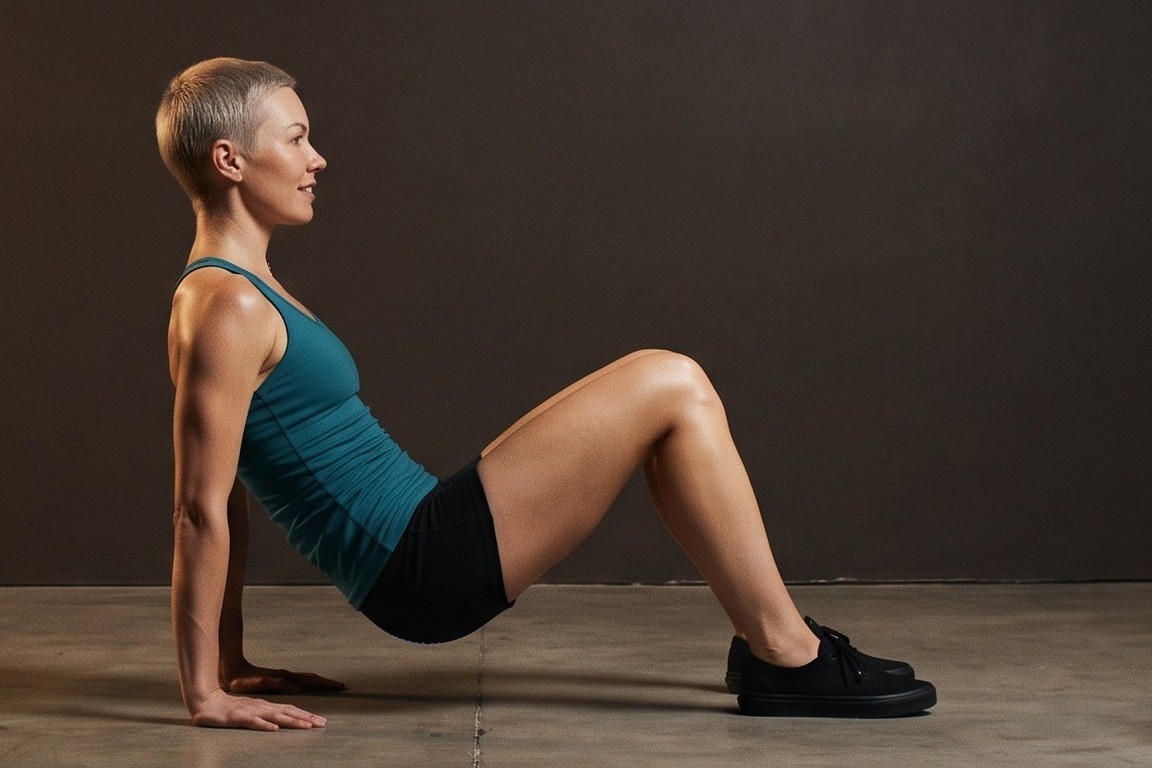 01Starting position
 -
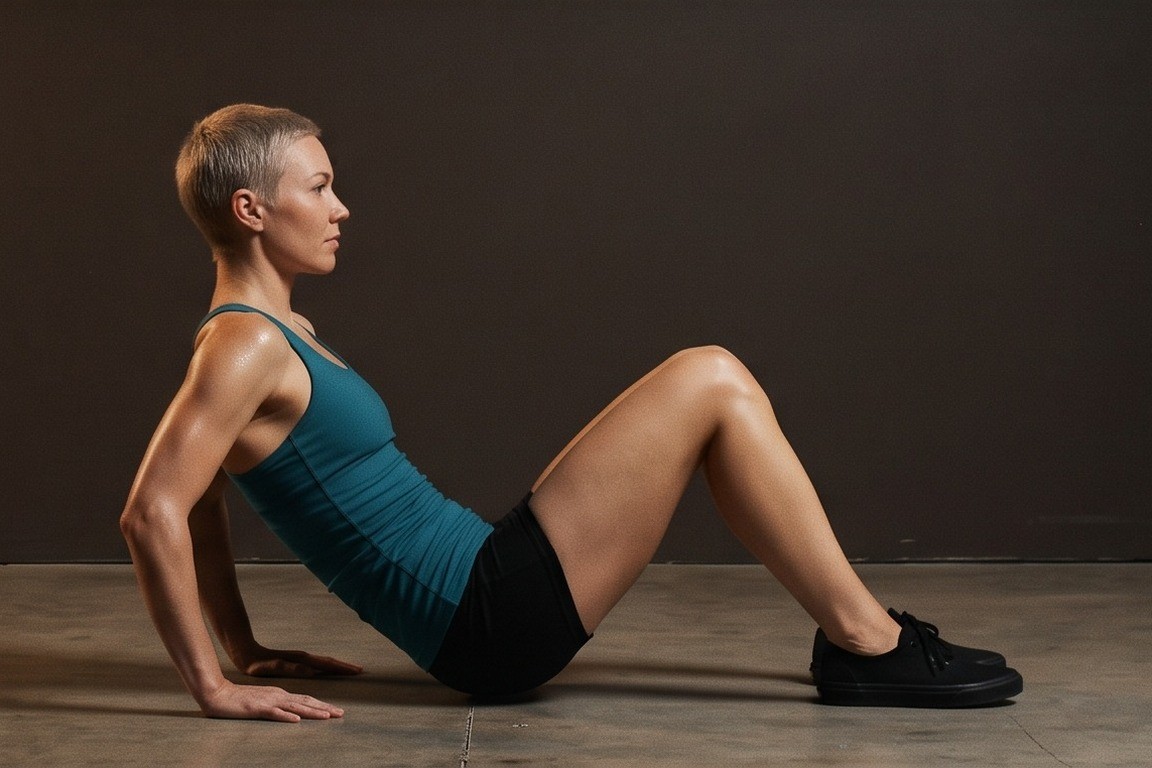 02Final position

Track it in your workout log
Add "Reverse Push-Up" to a workout in the AtletIQ app: sets, reps and time are saved to your log.
- Sets, reps and time in your workout log
- Workout programs for your goal and level
- Progress for every exercise
How to do it
5 stepsGet into a push-up position on the floor with your hands slightly wider than your shoulders but not far apart. Keep your body straight from head to heels.
Move at the shoulder joint as if it were a hinge, so your body travels along a straight line.
Lower yourself while your elbows point straight back instead of out to the sides.
Go only as low as you can control and stop if your shoulders feel uncomfortable.
Press back up until your arms are almost, but not fully, locked out, so your muscles keep working.
Do not snap your elbows into lockout at the top. Leave a slight bend and keep tension in your triceps.
Depth depends on your level. If your shoulders pinch, reduce the range or place your hands on a raised surface.
Similar exercises
All Triceps exercises · 53



AtletIQ app
A workout log with working weight calculation: program, sets and progress on your phone.