Clean Deadlift
- Primary musclesHamstrings
- EquipmentBarbell
- LevelBeginner
AtletIQ — a workout log: working weight, sets and reps for your goal and level.
Calculate your weight in the app-
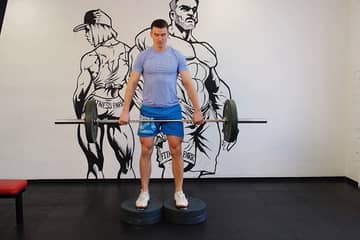
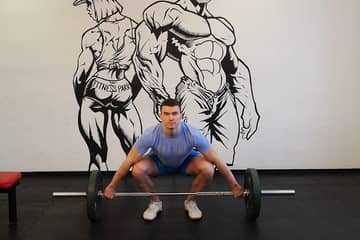
 01Starting position
 -
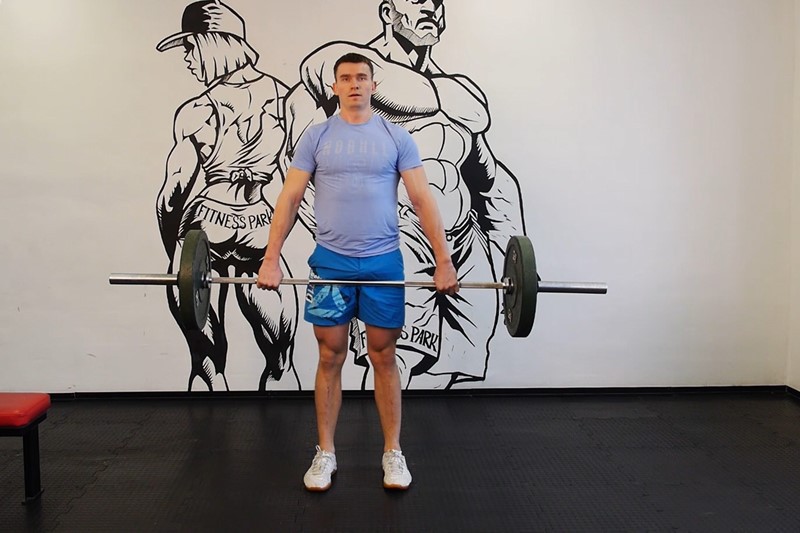 02Final position

Muscles worked
Primary muscles
What weight to use
Set your goal and fitness level — the AtletIQ app calculates the working weight and number of reps for "Clean Deadlift".
- Working weight for your goal and fitness level
- Sets, reps and rest in your workout log
- Progress for every exercise
| Workout | Weight | Sets × reps |
|---|---|---|
| 1 | 35.5 kg | 3 × 10 |
| 2 | 40 kg | 3 × 8 |
| 3 | 33 kg | 4 × 12 |
How to do it
3 stepsBegin standing with a barbell close to your shins. Your feet should be directly under your hips with your feet turned out slightly. Grip the bar with a double overhand grip or hook grip, about shoulder width apart. Squat down to the bar. Your spine should be in full extension, with a back angle that places your shoulders in front of the bar and your back as vertical as possible.
Begin by driving through the floor through the front of your heels. As the bar travels upward, maintain a constant back angle. Flare your knees out to the side to help keep them out of the bar's path.
After the bar crosses the knees, complete the lift by driving the hips into the bar until your hips and knees are extended.
Similar exercises
All Hamstrings exercises · 41
AtletIQ app
A workout log with working weight calculation: program, sets and progress on your phone.